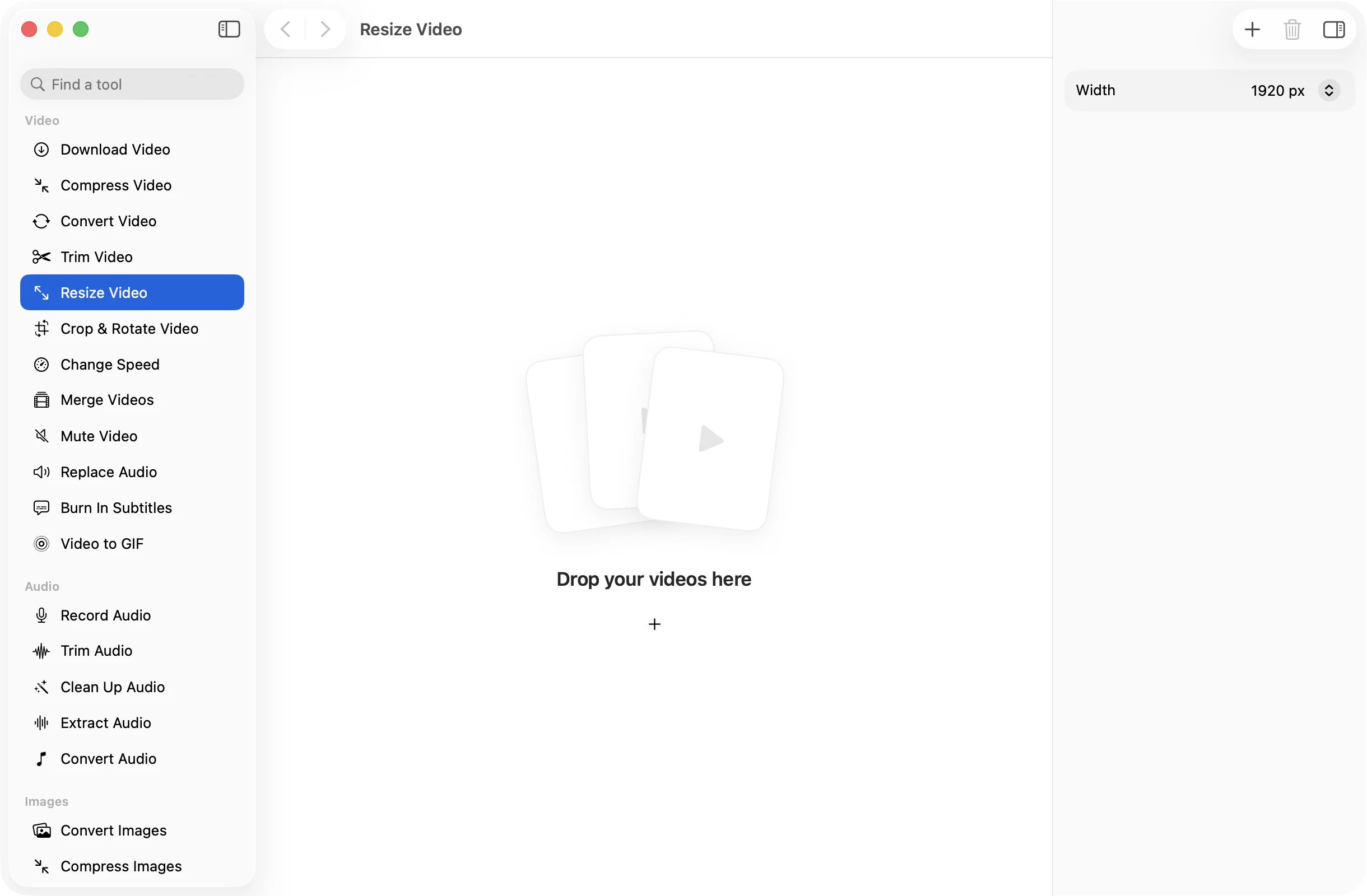
Resize videoto the width you pick.
Pick a width and every video in the batch is scaled to it, with the height worked out for you so the picture keeps its shape.
One-time purchase · macOS 26 or later · Works offline
How it works
Three steps.Nothing to learn.
- 1
Drop your videos
Add one video or many. MOV, MP4, M4V, MKV, WebM, AVI and MTS all work.
- 2
Pick a width
Choose 3840, 1920, 1280, 854 or 640 pixels. That’s 4K, 1080p, 720p, 480p and 360p for a widescreen video.
- 3
Press Resize
The resized MP4s are saved in a dated OneMacApp folder in Downloads. Your originals keep their full size.
The details
Everything you’d want.Nothing you wouldn’t.
Never stretched
Only the width is set. The height is calculated from the original shape, so portrait and widescreen videos both look right.
Standard sizes
The widths line up with the resolutions people ask for, from 4K down to a small 640 pixel preview.
One setting for a batch
Drop a folder of mixed footage and it all comes out at the same width, ready for a site or a presentation.
Done on your Mac
Resizing runs locally with FFmpeg and saves H.264 MP4. No upload, no size limit, no watermark.
Resize Video
- Opens
- MOV, MP4, M4V, MKV, WebM, AVI, MTS
- Saves as
- MP4 (H.264, AAC)
- Widths
- 3840, 1920, 1280, 854 or 640 px
- Height
- Follows the original aspect ratio
- Batch
- Any number of files at once
- Needs
- FFmpeg, installed for you in one click
FAQ
Questions,answered.
Drop the video into Resize Video, set Width to 1920 px and press Resize. A widescreen 4K video comes out at 1920 by 1080.
No. You only choose the width, and the height is worked out from the original proportions. To change the shape itself, use Crop & Rotate Video.
Going down in size usually does, because there are fewer pixels to store. For the smallest possible file, run the result through Compress Video as well.
They work too. The width you pick is the width of the frame, so a 1080 by 1920 portrait video set to 640 px comes out at 640 by about 1138.
More video tools
Same app.Plenty more to do.

Resize Video is one of 39 tools in OneMacApp.
Video, audio, images, PDFs and on-device AI in one native Mac app. Pay once and every tool is yours, including the ones we add next.
Get OneMacApp · $29₹1,499One-time purchase · macOS 26 or later