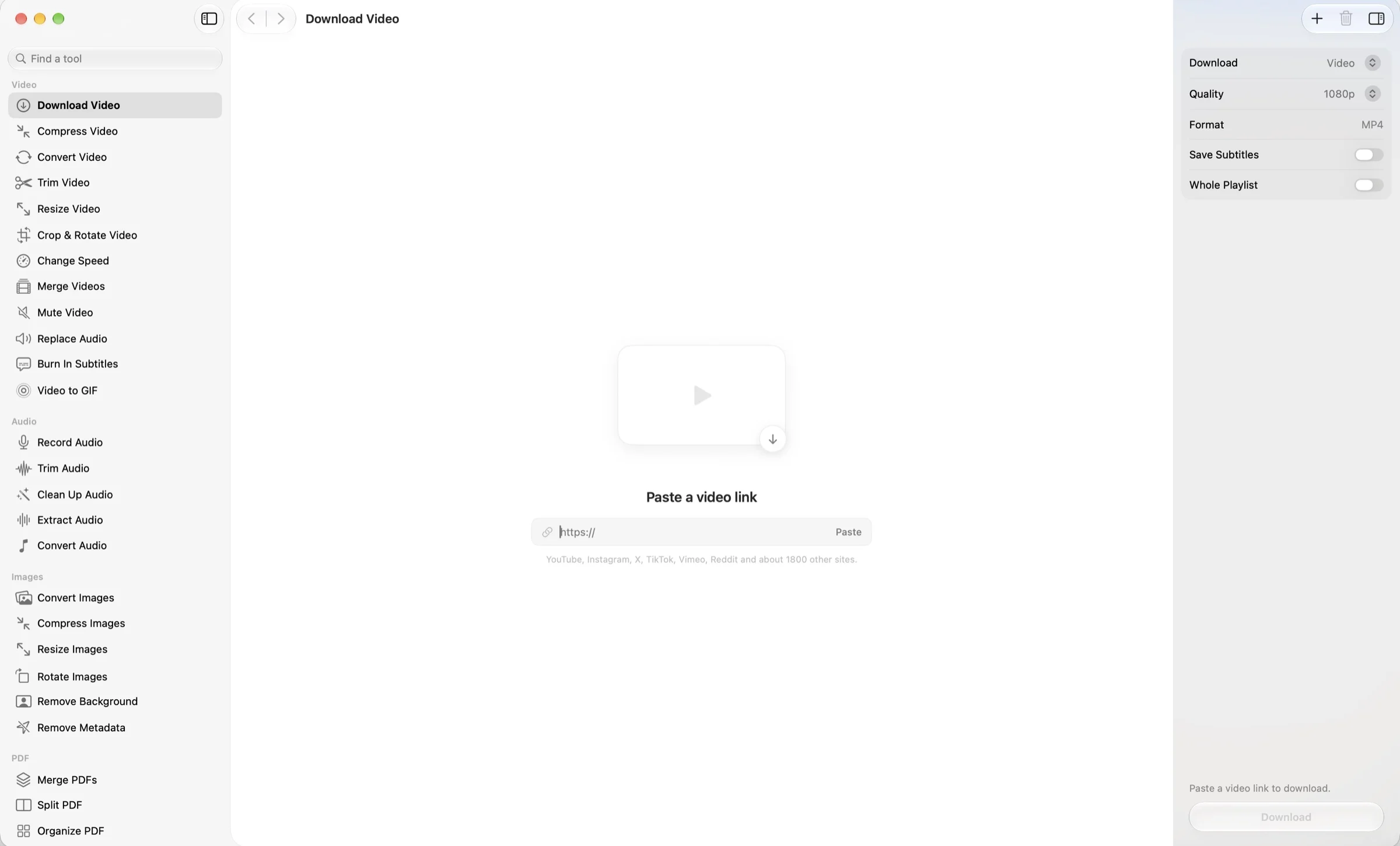
DownloadVideo
Quality1080p
FormatMP4
Save Subtitles
Whole Playlist
Tune every job
Quality, format, subtitles, playlists. Every option sits one tap away in the inspector.
39 powerful tools for video, audio, images and PDFs. Private, on-device, and so nicely animated you’ll look for reasons to use it.
One-time purchase · Requires macOS 26 or later

All in one
Stop hunting for a converter, a compressor and a PDF site that wants your email. OneMacApp puts 39 tools in one calm, native Mac app.
Paste a link from ~1800 sites and keep the video or just the audio
Compress, trim, crop, merge, convert and make GIFs
Record, clean up, extract and convert
Convert, compress, resize and remove backgrounds
Merge, split, sign, protect and organize pages
Transcribe, read, summarize and translate privately

39 tools
Video · 12 tools
Grab a video from a link, then compress, trim, crop, speed up or stitch clips together. Powered by FFmpeg and yt-dlp, wrapped in an app that feels like it belongs on your Mac.
Audio · 5 tools
Capture a voice note with an optional transcript, tidy noisy recordings, or pull the sound out of any video.
Images · 6 tools
Convert between formats, shrink for the web, cut out the background with Vision, or scrub location and camera data without re-encoding.
PDF · 11 tools
Merge, split, reorder, sign, protect and compress. Drag page cards into order, rotate or remove pages, and see exactly what you’re exporting.
On-device AI · 4 tools
Transcribe, read text out of images, summarize and translate using Apple’s own on-device models. No account, no upload.
Files · 1 tool
Batch rename with a numbered pattern, as copies or in place.
The experience
OneMacApp is a utility you’ll actually enjoy using. Switch a setting, choose a format, pick your pages and watch how every step responds to you. Give it a try below.
Quality, format, subtitles, playlists. Every option sits one tap away in the inspector.
Convert Video
Switch between MP4, MOV and WebM and the output file name follows along.
Extract Pages
Tap the pages you want
Tap to extract, delete or keep. OneMacApp counts your selection so there are no surprises.
Follow the progress, then get a clear confirmation of where your file landed.
On-deviceNothing uploadedPrivacy
OneMacApp does the work locally, with the frameworks Apple already ships. Originals are never modified. Results land in a fresh, dated folder in Downloads, and only when the whole batch succeeds.
Transcription uses Apple’s SpeechAnalyzer with the language model already on your Mac.
Vision OCR reads text out of images and scanned PDFs without sending them anywhere.
Short versions of long documents from Apple Intelligence’s on-device model.
Translate text, documents and subtitles with Apple’s downloadable languages.
Pricing
Requires macOS 26 or later
FAQ
A Mac running macOS 26 or later. OneMacApp is a native SwiftUI app, so it feels like it belongs there.
No. OneMacApp is $29, paid once, and it’s yours.
No. Conversions, PDF tools, OCR, transcription, summaries and translation all run on your Mac. The one tool that touches the internet is Download Video, which fetches the link you paste using yt-dlp.
Video and audio tools use FFmpeg, which OneMacApp doesn’t bundle. If it’s missing, OneMacApp can install it for you through Homebrew with one button, or you can point it at your own copy. Images, PDFs, OCR and transcription don’t need it at all.
Never. Results are staged and published into a new dated OneMacApp folder in Downloads once the whole batch succeeds. You can pick another destination in Settings, or choose one each time.
Yes. OneMacApp tones its animations down automatically when macOS Reduce Motion is on, and this page does the same.
