Download videosfrom a link you paste.
Paste a link, pick a quality, and the video lands in your Downloads as an MP4 that opens in QuickTime. Want only the sound? Switch to audio and save it as MP3, M4A, WAV or FLAC.
One-time purchase · macOS 26 or later · Works offline
How it works
Three steps.Nothing to learn.
- 1
Paste a link
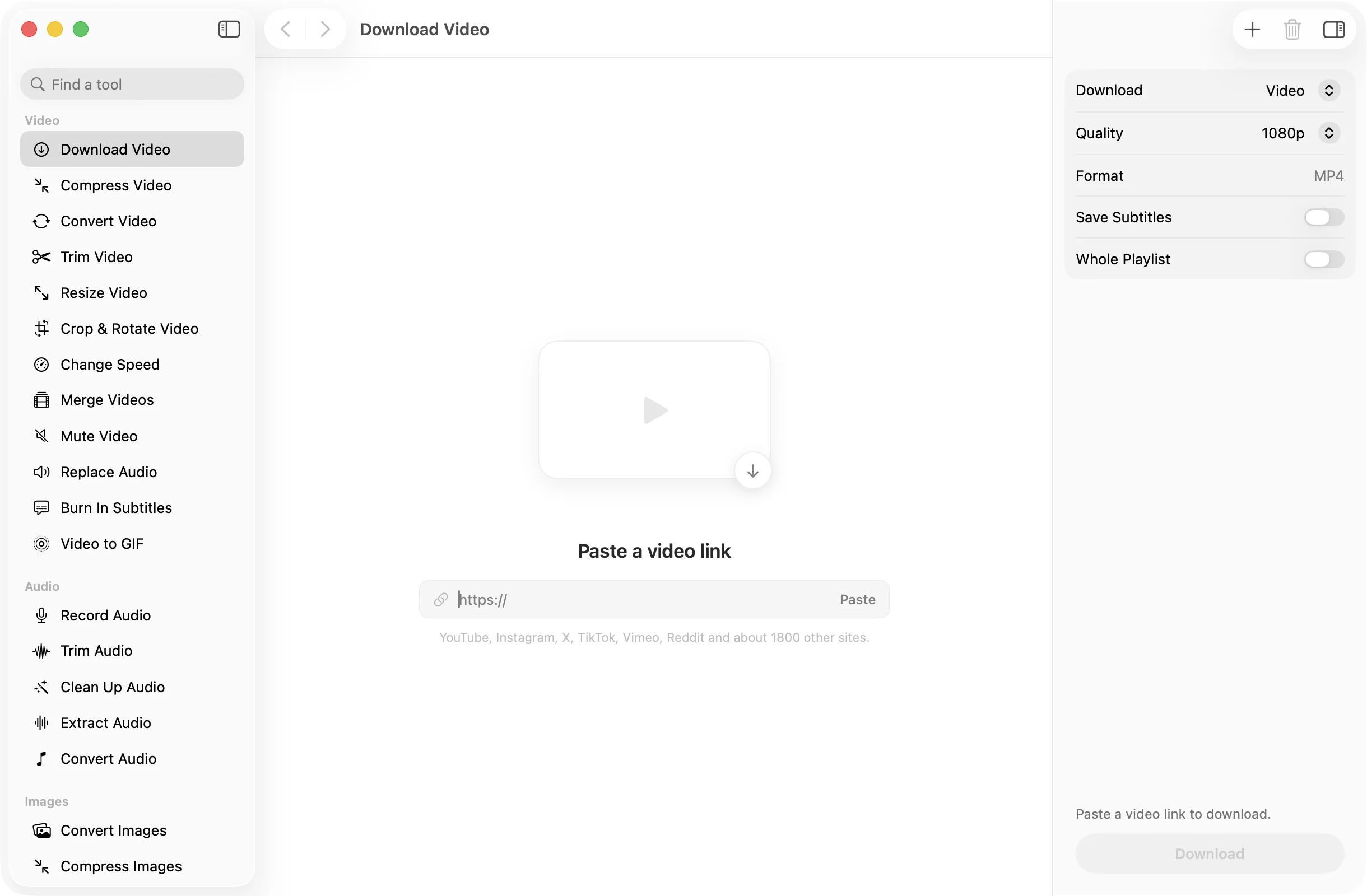
Copy the address of the video from your browser and press Paste. YouTube, Instagram, X, TikTok, Vimeo, Reddit and about 1800 other sites are supported.
- 2
Choose what to keep
Pick Video or Audio Only. For video, choose Best Available or cap it at 1080p, 720p, 480p or 360p. Turn on subtitles or the whole playlist if you want them.
- 3
Press Download
Progress shows as it goes. The finished file is named after the video and saved in a dated OneMacApp folder in Downloads.
The details
Everything you’d want.Nothing you wouldn’t.
MP4 that just opens
Videos are saved as MP4, and the download favours versions QuickTime can play, so most open straight away without a second conversion.
Audio only, in four formats
Save just the soundtrack of a talk, a song or a podcast as MP3, M4A, WAV or FLAC, at the highest quality setting.
Subtitles beside the video
Turn on Save Subtitles and an SRT file is written next to the video, in your language and English, including automatic captions when the site has them.
Whole playlists
Turn on Whole Playlist and every video in the playlist the link belongs to is downloaded, not just the one you were watching.
Download Video
- Works with
- YouTube, Instagram, X, TikTok, Vimeo, Reddit and about 1800 other sites
- Video
- MP4, best available or up to 1080p, 720p, 480p or 360p
- Audio only
- MP3, M4A, WAV or FLAC
- Extras
- SRT subtitles, whole playlists
- Needs
- yt-dlp and FFmpeg, installed for you in one click
- Saves to
- A dated OneMacApp folder in Downloads
FAQ
Questions,answered.
Downloads are handled by yt-dlp, which supports YouTube, Instagram, X, TikTok, Vimeo, Reddit and about 1800 other sites. If a site is not supported, OneMacApp tells you so instead of failing silently.
Yes. Unlike the other tools in OneMacApp, Download Video has to fetch the video from the site that hosts it. Nothing is sent to us; your Mac talks to that site directly and saves the file locally.
Yes. Set Download to Audio Only and pick MP3, M4A, WAV or FLAC. M4A is the default and keeps the audio close to how the site stores it.
Private videos, members-only videos and anything that needs a sign-in cannot be downloaded. Videos that were removed or are blocked in your region will not work either.
That depends on the video and where you live. Only download videos you own or have permission to save, such as your own uploads or content the creator allows you to keep, and respect each site’s terms.
Downloading uses two free tools, yt-dlp and FFmpeg. If they are missing, OneMacApp installs them through Homebrew with one button, or you can point it at copies you already have.
More video tools
Same app.Plenty more to do.

Download Video is one of 39 tools in OneMacApp.
Video, audio, images, PDFs and on-device AI in one native Mac app. Pay once and every tool is yours, including the ones we add next.
Get OneMacApp · $29₹1,499One-time purchase · macOS 26 or later