Resize imagesto the exact width.
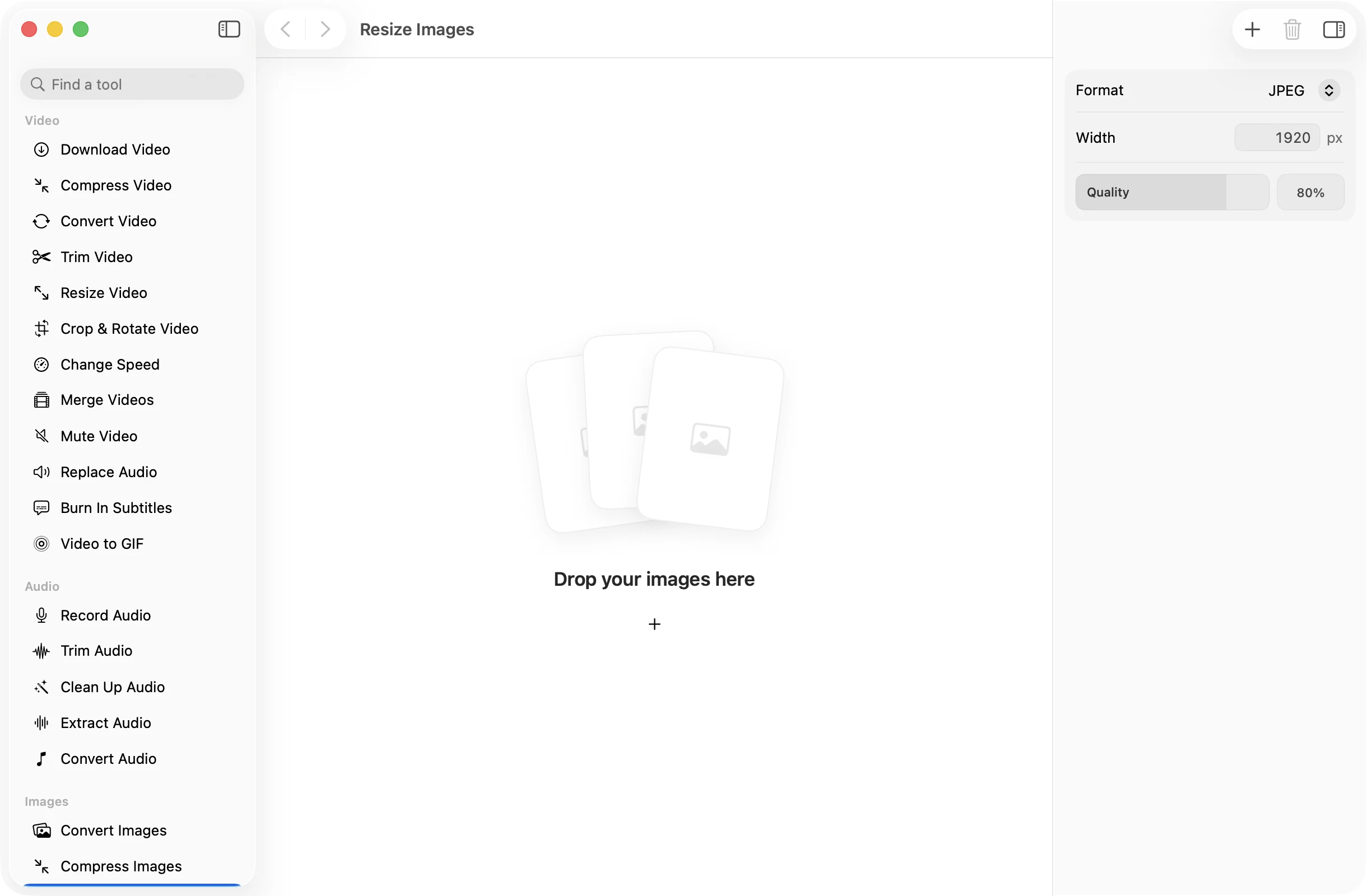
Type the width you need and every image in the batch is scaled to match, with the height worked out for you. Handy for websites, listings, slides and email.
One-time purchase · macOS 26 or later · Works offline
How it works
Three steps.Nothing to learn.
- 1
Drop your images
Drag in as many images as you like. Photos, screenshots and scans can all go in the same batch.
- 2
Type a width
Enter the width in pixels and choose a format. The height of each image follows its own shape, so nothing is squashed.
- 3
Press Resize
The resized copies land together in a dated OneMacApp folder in Downloads. Your originals keep their full size.
The details
Everything you’d want.Nothing you wouldn’t.
Aspect ratio stays put
You set the width and each image keeps its proportions. A portrait photo and a wide banner both come out looking right.
Convert while you resize
Save the result as JPEG, PNG, HEIC, TIFF or WebP, with a quality slider for the lossy formats. One pass instead of two.
High quality scaling
Images are redrawn with high quality interpolation, and photos come out the right way up whatever the camera recorded.
Private by design
Resizing runs on your Mac. Nothing is uploaded, and the copies are saved without location or camera metadata.
Resize Images
- Opens
- HEIC, JPEG, PNG, TIFF, WebP and other formats macOS reads
- Saves as
- JPEG, PNG, HEIC, TIFF or WebP
- Settings
- Width in pixels, format and quality
- Largest output
- 32,768 px on a side, up to 120 megapixels
- Batch
- Any number of images at once
- Originals
- Never changed
FAQ
Questions,answered.
Drop them all in, type the width you want, and press Resize. Every image is scaled to that width and saved to a new folder in Downloads.
No. You set the width and the height is calculated from each image’s proportions, so nothing is ever stretched.
Around 1920 pixels covers a full width image on most screens. For images inside an article, 1200 to 1600 pixels is usually plenty.
Usually, yes, since there are fewer pixels to store. Saving as JPEG, HEIC or WebP with a lower quality makes them smaller still.
More images tools
Same app.Plenty more to do.

Resize Images is one of 39 tools in OneMacApp.
Video, audio, images, PDFs and on-device AI in one native Mac app. Pay once and every tool is yours, including the ones we add next.
Get OneMacApp · $29₹1,499One-time purchase · macOS 26 or later