PDF to images,every page at once.
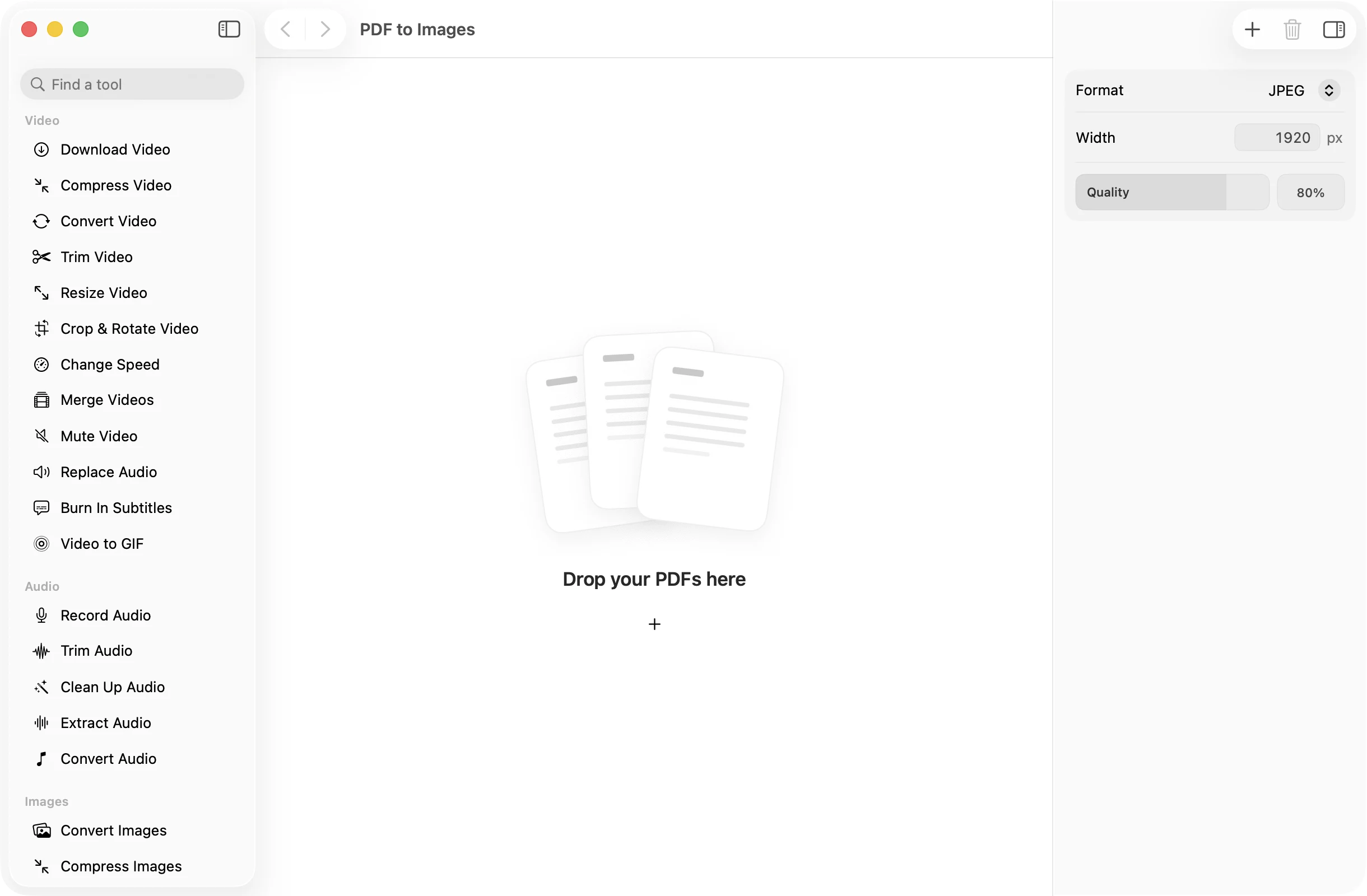
Turn each page into a picture for slides, social posts or a quick preview. Pick a format and a width, and every page is exported in one go.
One-time purchase · macOS 26 or later · Works offline
How it works
Three steps.Nothing to learn.
- 1
Drop your PDF
Its pages show up as thumbnails. Add more PDFs to export them all together.
- 2
Pick a format and width
Choose JPEG, PNG, HEIC, TIFF or WebP and set the width in pixels. JPEG, HEIC and WebP also have a quality slider.
- 3
Press Export Images
One image per page lands in a dated OneMacApp folder in Downloads, named after the PDF with the page number added.
The details
Everything you’d want.Nothing you wouldn’t.
Five formats
JPEG for sharing, PNG or TIFF for crisp lossless pages, HEIC for small files, and WebP for the web.
The width you need
Set the image width in pixels. The height follows the page shape, so nothing is stretched.
Every page, in order
Files are named like Report-page-1.jpg, Report-page-2.jpg, so they sort the same way as the PDF.
Private by design
Pages are rendered on your Mac with Apple’s PDFKit. Nothing is uploaded.
PDF to Images
- Opens
- Saves as
- JPEG, PNG, HEIC, TIFF or WebP
- Width
- Any width in pixels, 1920 by default
- Quality
- 10% to 100% for JPEG, HEIC and WebP
- Names
- Original name plus -page-N
- Originals
- Never changed
FAQ
Questions,answered.
Open PDF to Images, drop in the PDF, choose JPEG and press Export Images. Every page is saved as its own JPG.
JPEG suits photos and sharing. PNG keeps text and line art perfectly sharp. HEIC gives small files that Apple devices open easily. WebP is handy for websites.
Raise the width. 1920 pixels is good for screens. For printing or zooming in on fine text, try a larger width.
PDF to Images exports every page. To get a single page, use Extract Pages first, then convert the new PDF.
WebP export uses FFmpeg. If it is not on your Mac yet, OneMacApp can install it for you. The other formats need nothing extra.
More pdf tools
Same app.Plenty more to do.

PDF to Images is one of 39 tools in OneMacApp.
Video, audio, images, PDFs and on-device AI in one native Mac app. Pay once and every tool is yours, including the ones we add next.
Get OneMacApp · $29₹1,499One-time purchase · macOS 26 or later